
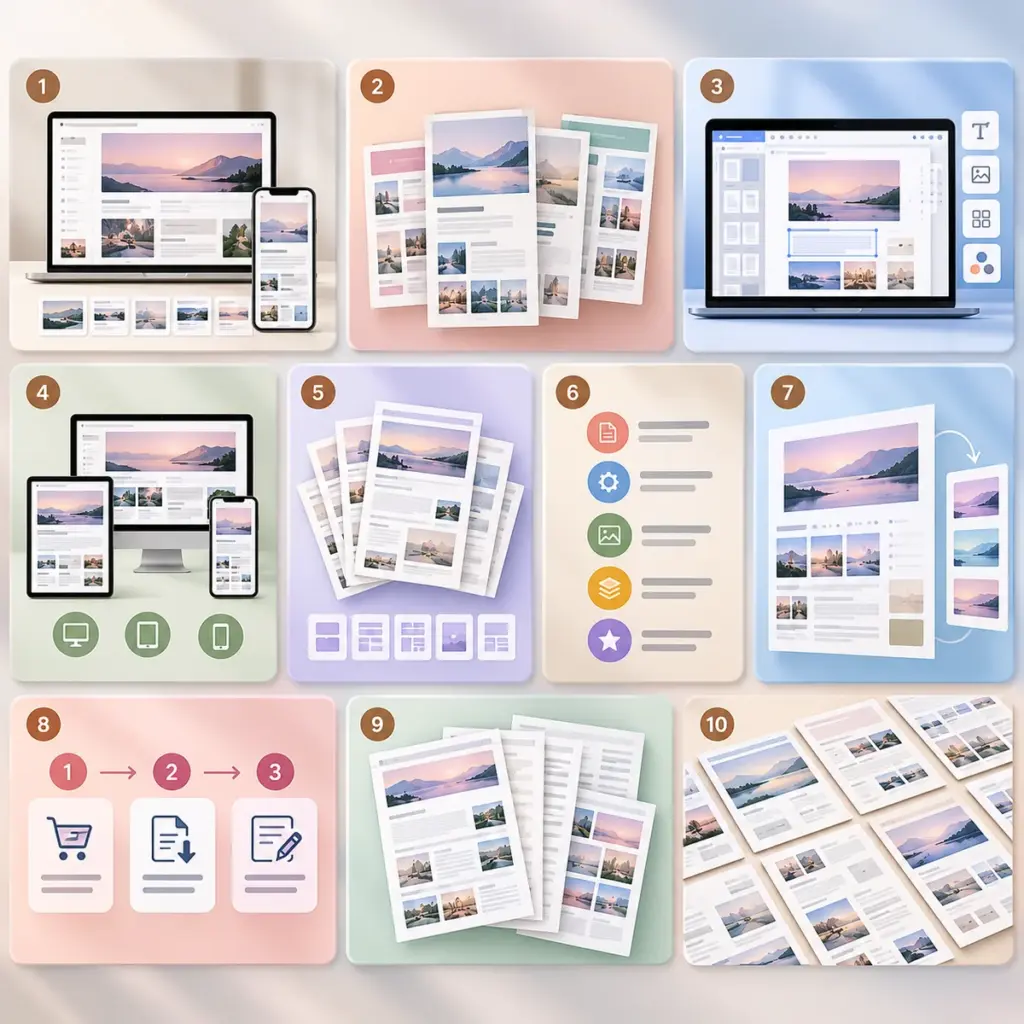

Online customers cannot touch a digital download before purchasing it. Effective digital product preview images reduce uncertainty by showing the real file, its capabilities and its limitations. A polished cover is useful, but a ten-frame visual story is often more informative than ten copies of the same marketing graphic.
A ten-image storyboard for a digital download listing
- Cover: clearly show the exact product type and primary audience.
- What’s included: a clean inventory of real files, pages or templates.
- Primary use case: a genuine screenshot showing the main task.
- Inside view one: full-resolution sample from an actual included file.
- Inside view two: a second distinct page or feature.
- Editing workflow: demonstrate where a buyer changes content, if editing is supported.
- Device or print view: an honest preview showing tested compatibility.
- Technical details: file formats, sizes, platform requirements and version.
- License and delivery: a short truthful notice about permitted use and digital delivery.
- Getting started: installation or first-use instructions and support path.
Use real screenshots when showing interfaces
For app and software listings, capture the real product interface rather than generating a fictional admin dashboard. Hide account identifiers and private data, and crop away unrelated WordPress admin navigation. Mockups may be used for context but should not imply features that do not exist. Use synthetic sample data only when clearly labeled as examples.
Square covers versus 16:9 screenshots
A square 1:1 cover often works well in product grids; wider 16:9 screenshots may show workflows and dashboards with less cropping. Test how your WordPress theme displays both desktop and mobile. Avoid tiny text that becomes unreadable on a two-column mobile grid.
Optimize filenames and alt text
Google’s image SEO guidance recommends short descriptive filenames and context-appropriate alt text. Describe the meaningful screenshot: “Digital planner monthly calendar with habit tracker,” not a chain of repeated keywords. Image SEO can help search engines understand content, but indexing and ranking are not guaranteed.
File formats and performance
Export WebP or JPEG for photographic previews when supported, and PNG where transparency or sharp UI details require it. Keep enough resolution for readability while compressing files responsibly. Verify WordPress’s generated sizes and responsive display; large source files alone do not make a site faster.
Two worked gallery examples
Editable social-media template pack: Frame one shows the exact cover design; frame two counts actual editable layouts; frames three and four show distinct included posts; frame five shows color and typography controls; frame six shows a genuine editing view; frame seven shows exported mobile and desktop examples; frame eight lists file types; frame nine summarizes the specific license and delivery; and frame ten shows the buyer’s start-here guide. If an editor screen is shown, capture it from the real template with placeholder client data.
Spreadsheet or software product: Replace decorative lifestyle mockups with actual working views. Show the main dashboard, input fields, automated calculations, filtering, reports, export controls, mobile behavior if supported, setup instructions, and compatibility notes. Label synthetic demonstration data clearly. Do not depict functions the finished download cannot perform.
Gallery storyboard review questions
- Can a buyer identify the main deliverable after the first two frames?
- Does every subsequent frame answer a different buyer question?
- Are text overlays legible when thumbnails are displayed in a two-column phone grid?
- Can the screenshots be verified against the current delivered version?
- Are included file counts, app versions and license terms consistent throughout the listing?
The cover can use original conceptual artwork, but functionality screenshots should come from the actual product. Use meaningful filenames such as freelance-budget-income-sheet.webp, then write alt text describing what is visibly shown. Google’s image SEO documentation recommends useful image context and descriptive text; it does not promise a ranking increase from gallery size.
QA before upload
- Compare every preview with the final downloadable ZIP.
- Verify that any named feature exists in the version being sold.
- Remove or anonymize private information.
- Check phone rendering, contrast, cropping and alt text.
- Confirm no asset is misleadingly watermarked or incorrectly licensed.
- Make sure the cover and gallery are actually visible on the live product page.
Measure the right outcome
If you update a gallery, use real product-page and checkout analytics to see whether shoppers engage more effectively. Do not treat image count, visitor anecdotes or search-volume estimates as proof of conversion improvement.
FAQ
Should every screenshot have text overlays?
No. Labels can clarify, but avoid blocking the actual interface and make text legible.
Can AI imagery replace software screenshots?
Not when buyers need evidence of an actual function. AI illustrations may support a concept cover but should not falsely depict the deliverable.
Should I show all 50 pages?
Choose representative, useful samples and explain the full contents accurately.